

 EN
EN  DE
DE  FR
FR 
ipet.ch shortcut on your home screen
Imagine: You urgently need new food for your pet or want to spontaneously order a new toy. Instead of tediously typing in the address or searching through your browser history, simply click the ipet.ch shortcut on your home screen – and you are instantly immersed in the shopping experience!
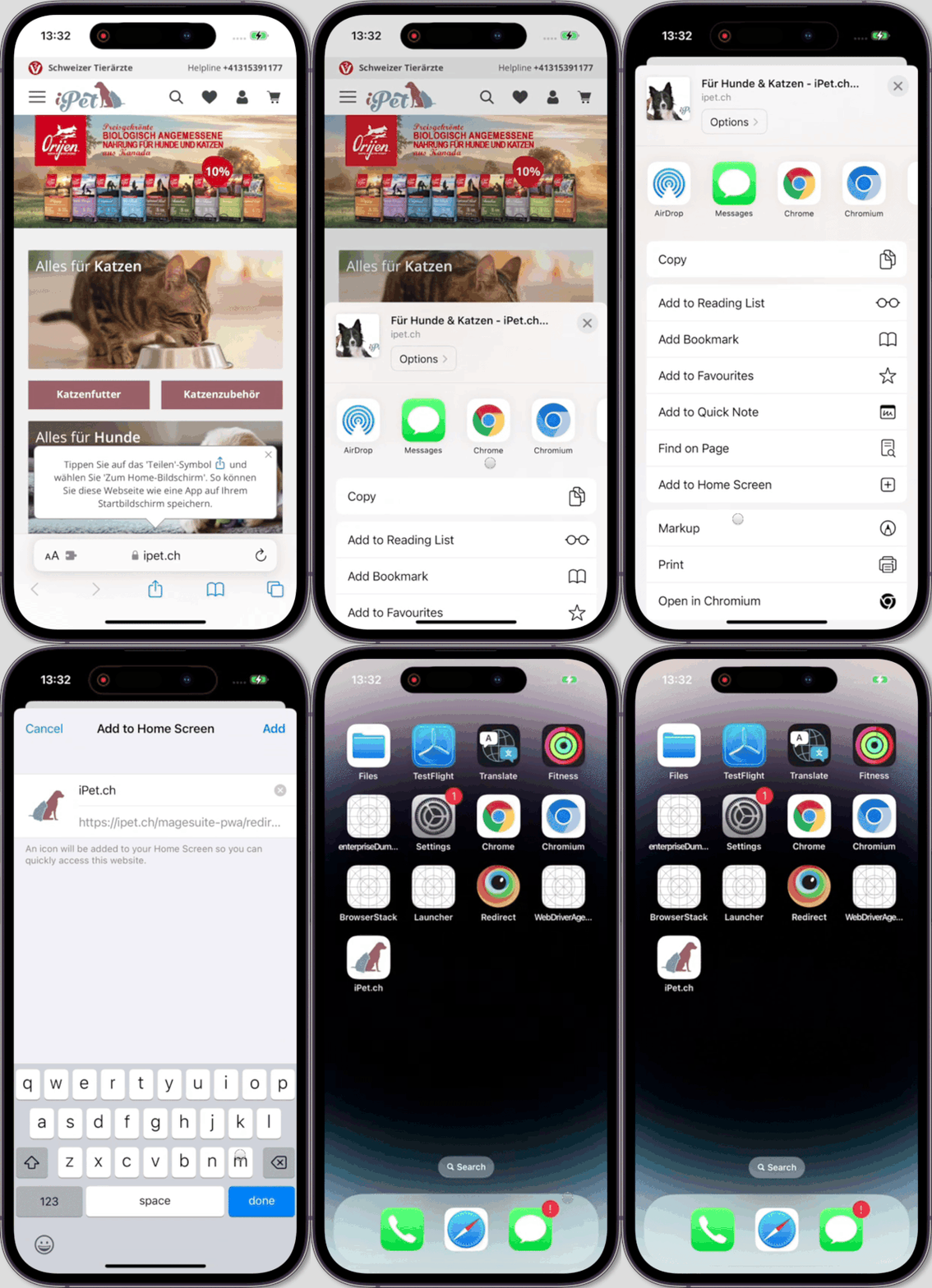
Instructions for iOS (iPhone, iPad):
- Open ipet.ch in the Safari browser.
- Tap the Share icon (square with an arrow).
- Select "Add to Home Screen".
- Confirm with "Add".
Instructions for Android:
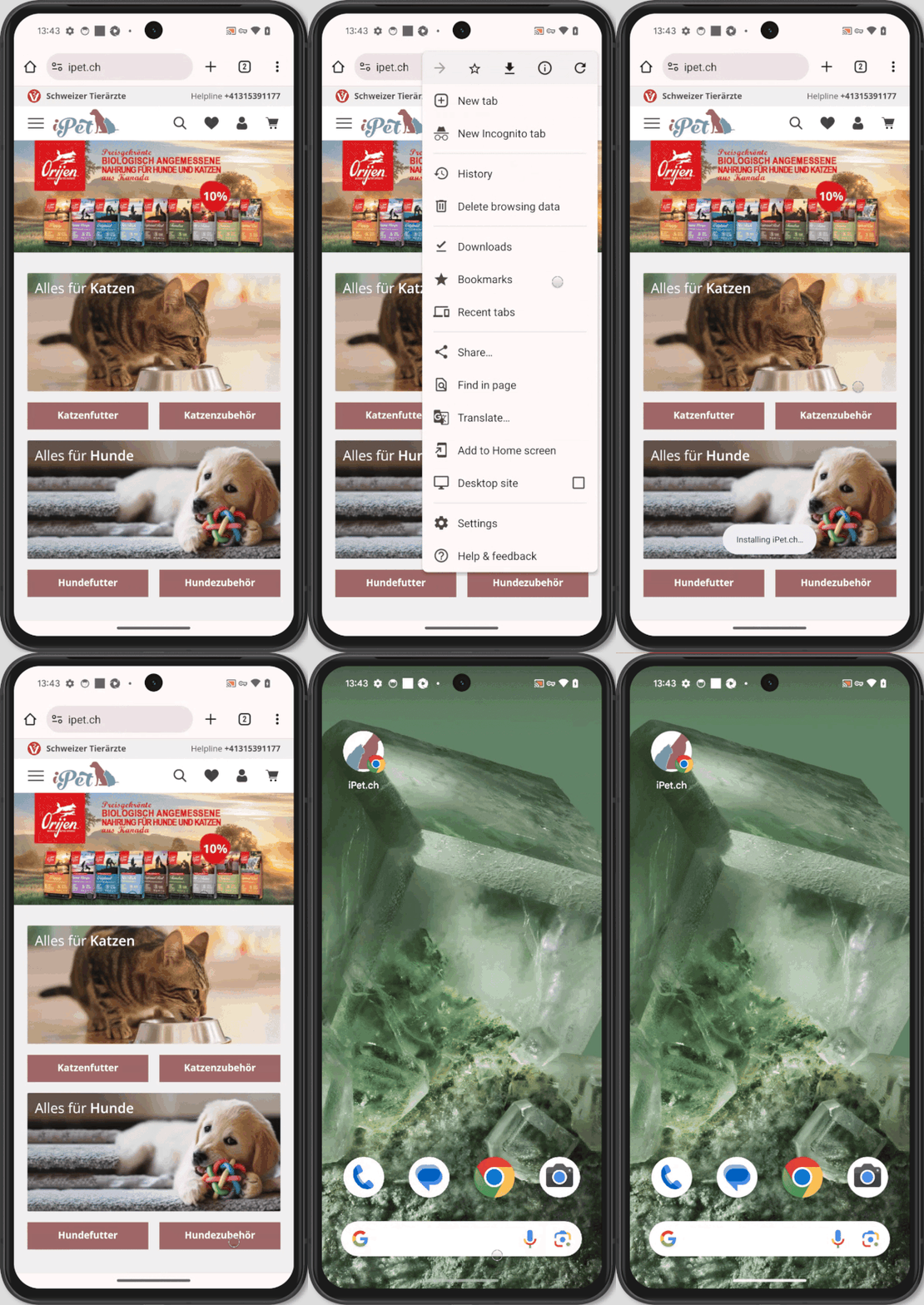
- Open ipet.ch in your browser (e.g. Chrome).
- Tap the menu icon (usually three dots).
- Select "Add to Home screen" or similar.
- Confirm.
Tip: For even faster access, you can drag the shortcut to a prominent spot on your home screen.
Frequently asked questions
-
-
A shortcut is an icon on your home screen that leads directly to the ipet.ch website. A bookmark saves the address in your browser so you can easily find it again later.
-
Yes, both shortcuts and bookmarks can be deleted at any time.
-
The shortcut opens the ipet.ch page, but without an internet connection, you cannot load content or place orders.
-
Technically this is possible, but it is usually easier to reach the desired page within ipet.ch via the navigation.
-
Check if you have enough free space on your home screen. Sometimes you need to move apps or create folders to make room for new shortcuts. If the problem persists, restart your device or contact your device manufacturer's support.
-
No, the new iPet.ch shop does not offer a classic app, but a Progressive Web App (PWA). You can simply add this PWA to your home screen and use it like an app, regardless of whether you have an Android or Apple device.
-


